September 21, 2026
FC27 Matchday: producing a creator football stream
LALIGA brought legends and creators together for a live match. Here is how to produce a similar format with a clear, reliable match state.
On September 16, 2026, LALIGA held FC27 Matchday (opens in a new tab), an exhibition match in New York featuring Figo, Marcelo, Rivaldo, Mascherano, and a dozen creators from different markets. The match was broadcast on LALIGA's digital channels, turning the launch of EA SPORTS FC 27 into an event that also took place on a real pitch.
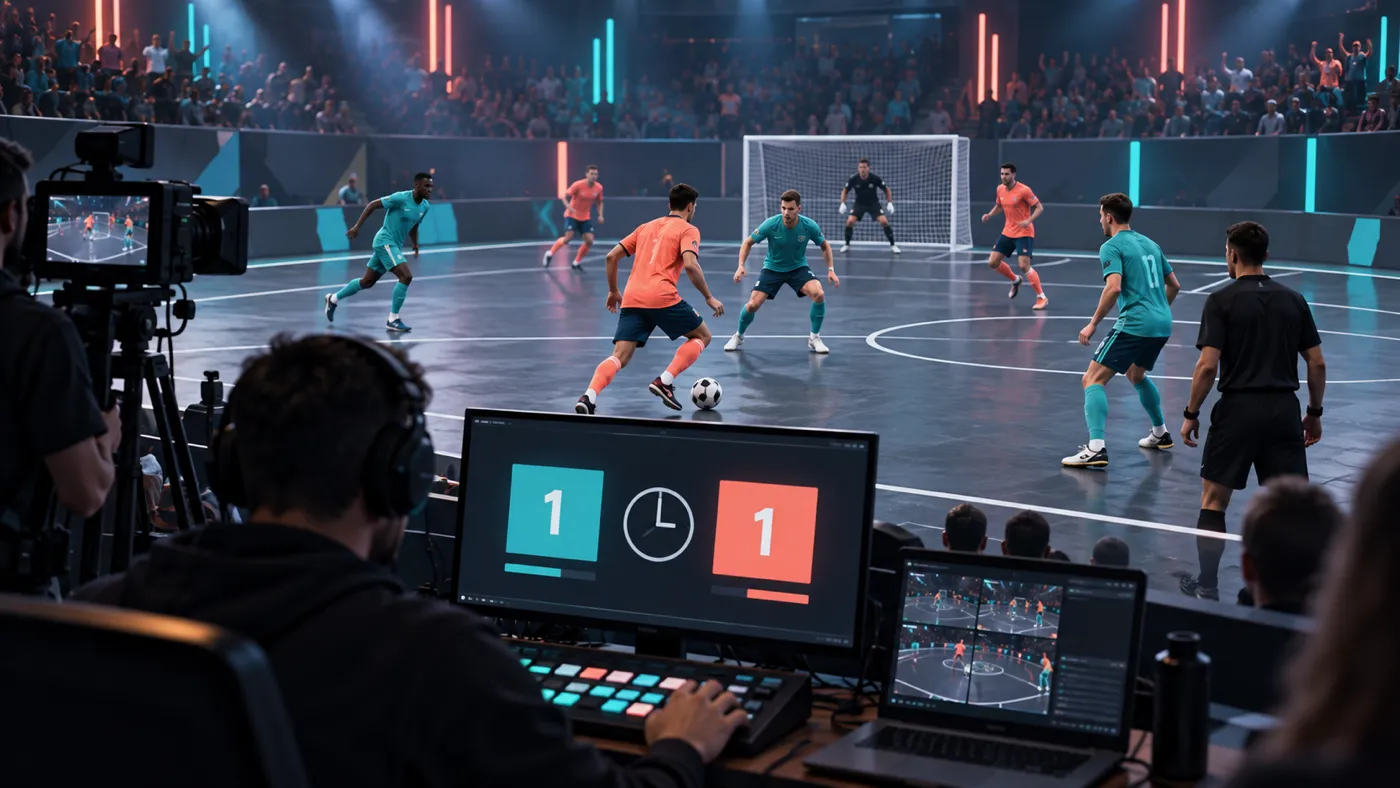
The lesson for a streamer is not to copy a production of that scale. It is to notice what makes a match understandable when some viewers arrive for the personalities, others for the football, and many join after the stream has started. In that setting, the scoreboard is not decoration. It is the layer that lets someone recover the state of the match at a glance.
A launch turned into a match and a broadcast
LALIGA said that Green Team and Coral Team combined international legends and creators, captained by Javier Mascherano and Marcelo Vieira. The participants included Rivaldo, Luis Figo, xBuyer, KSI, Luva de Pedreiro, and creators from Spain, the United Kingdom, Brazil, the United States, Japan, Turkey, and the MENA region.
The organizer presented the match as the closing act of FC27 World Premier, a day built around the global video game launch. It was not only a virtual fixture: the teams completed skill challenges before playing a physical match. Europa Press independently confirmed (opens in a new tab) the mix of former footballers and creators and that the exhibition took place in New York.
The official LALIGA broadcast (opens in a new tab) offers another useful clue: the format was designed for a digital audience. The conversation depended not only on the score but also on the participants, their reactions, and the bridge between real football and the game. That creates more ways into the event, but it does not remove the need to explain what is happening on the pitch.
Why creator matches need a clear state layer
In a traditional competition, much of the audience already knows the teams, format, and rules. At a creator event, viewers may arrive because they follow one participant and discover everything else live. If the screen does not identify the sides, score, or stage of the match, the commentator must repeat those details, and a late arrival can still feel lost.
The answer is not to fill the scene with graphics. Separate three layers instead. The first is the main video or commentary. The second is the shared match state: teams, goals, and a time reference. The third provides occasional context, such as the lineup, a skill challenge, or the next segment. When those layers compete for space, the broadcast becomes harder to read. When each one has a job, viewers can orient themselves without looking away from the action.
A manual scoreboard is particularly useful when your production has no data feed or the event is small and its format changes quickly. It also has a clear limit: it displays only what the operator enters. Do not present it as synchronized with an official clock when it is not, or as proof of a play that has not been confirmed.
Design the scoreboard before opening OBS
Start by defining the unit you will cover. Is it one match, several short fixtures, or a sequence of challenges followed by a main match? The answer determines when the score resets, how the clock behaves, and what information carries across segments. FC27 Matchday had preliminary activities and a main match; mixing both states in one graphic would have created more questions than answers.
Prepare an operations sheet with both team names, the order of the sides, the person who confirms goals, and the clock behavior. If you use abbreviations, make sure they are unambiguous. If you add badges, photos, or trademarks, verify that you have permission to show them. Text names may be enough to identify the teams without reusing someone else's assets.
Decide what happens when the production is uncertain. A delayed feed, a confusing replay, or a disallowed goal may leave the operator without an immediate answer. Wait for confirmation, correct the information clearly when necessary, and temporarily hide the graphic if it no longer reflects the match. Keeping a wrong score on screen simply to make the scene look complete undermines trust.
Assign roles and rehearse every transition
In a small production, one person may host, switch scenes, and update the score. That works better when the procedure is set before going live. Define simple actions: add or remove a goal, start or pause the clock, swap sides, and reset the match. Avoid changing names or styles while play continues unless it is necessary.
When several people collaborate, decide who has authority to change the scoreboard. Chat can flag an incident, but it should not become the source that automatically updates the broadcast. The operator needs an agreed reference and a short confirmation from the production team. That separation reduces duplicate changes, late corrections, and on-air debates.
Rehearse a complete cycle with fictional data. Introduce the teams, start the clock, add a goal, correct it, pause the match, and prepare the next segment. Check the actual OBS output, not just the control panel. Also review it in a small window: many people will watch on a phone, and a graphic that looks clear on a large monitor may be too dense there.
Give the final transition its own checklist: hide the scoreboard, stop the clock, confirm the result, change the teams, reset the score, and inspect the output before showing it again. It is a short process, but it prevents the next fixture from starting with the previous names or goals.
Turn the match state into a browser source
For this workflow, OverlayOn provides a football scoreboard that lets you manually control team names, goals, and the clock from its editor. Create the overlay, configure the two sides, and add its URL to OBS as a browser source. During the match, one person updates the confirmed state. Between fixtures, reset the data and check the final view before putting it back on air.
It is not an official feed, it does not automate refereeing decisions, and it does not grant rights to rebroadcast event footage, audio, or trademarks. It is the operational layer that keeps the shared state confirmed by your production visible. If you are preparing a creator match, configure the OverlayOn football scoreboard (opens in a new tab) and rehearse the full cycle before the stream.